
Before buying a fourth-axis rotary table for an existing machining center, check both machine integration and the complete workholding setup. A suitable table diameter is only one part of the decision. The controller, drive, servo feedback, installation space and clamping system must also match the proposed configuration.
Use this checklist to prepare a technical review with your machine supplier or integrator. If your main question is which table size to choose, start with our 4-axis rotary table selection guide.
1. Define the Machining Mode First
Indexed positioning: the rotary moves to an angle, then the part is machined with the axis held as required by the setup. Simultaneous fourth-axis machining: the rotary axis moves in coordination with the machine axes during cutting.
A separate indexing controller triggered by an M-code does not, by itself, provide coordinated fourth-axis interpolation. Confirm the required machining mode before comparing the controls or requesting a quote. Include a drawing or a short description of the operation.
2. Confirm the Exact CNC and Servo Configuration
| Information to collect | What needs confirmation |
|---|---|
| Machine make, model and build year | The exact machine configuration and available axis provisions. |
| Controller model and software version | Fourth-axis functions, enabled options and supported operating mode. |
| Installed drive/amplifier and spare axis provision | Whether the required hardware is present or an upgrade is needed. |
| Servo motor and encoder identification | Motor, drive and feedback compatibility for the proposed configuration. |
| Connector and cable information | Verified electrical interfaces and cable requirements; connector appearance alone is insufficient. |
| Clamp/unclamp signals and status feedback | The control sequence, interlocks and confirmation signals required by the machine. |
“FANUC,” “Siemens” or another controller brand is not enough to establish compatibility. Send the exact model and configuration for review. Electrical changes, parameter settings and commissioning should be handled by the machine supplier or a qualified integrator.
3. Check the Entire Installation Envelope
Compare the drawing of the exact rotary version against the machine table, T-slots, travel limits and spindle clearance. Include the motor cover, connectors, cable bend space, chuck, fixture and workpiece. Check the swept envelope through all intended rotary positions, as well as tool changes, probing and door access.
For long parts, include the tailstock or support unit in the layout. Its center height and mounting position need to suit the selected rotary setup. The N versions of MRNC products have a different motor-cover arrangement, so use the drawing for the version being quoted.
4. Separate Machine Payload from Rotary Load
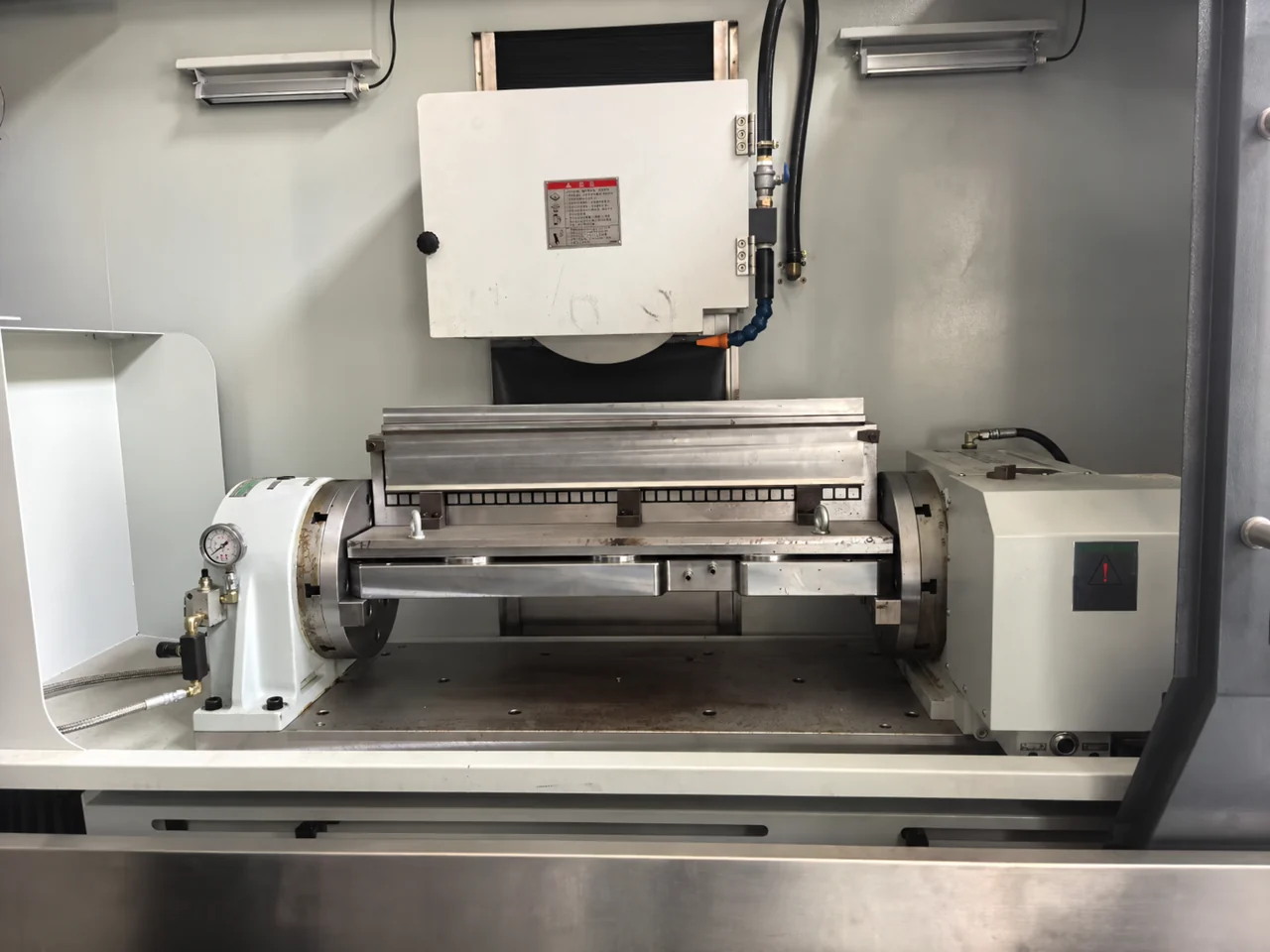
The machine table supports the rotary unit, motor, fixture, workpiece and any support equipment. The rotary’s allowable work load is a separate limit. Confirm installation orientation, fixture and part mass, center-of-gravity offset, inertia and cutting moments. A part weighing less than the catalog load rating can still require further review.
For example, the catalog net weights of MRNC-255 / 255N and MRNC-320 / 320N are 93 kg and 174 kg respectively, excluding the motor. Include the other setup components when checking machine capacity. These weights do not establish suitability for a particular machine.
5. Confirm Clamping Supply and Delivery Scope
Check the required hydraulic or pneumatic supply for the exact model: operating pressure, available supply equipment, hoses, fittings, valves and electrical control. Confirm which items are included in the quotation and which are supplied by the buyer or integrator.
Record responsibility for mounting, electrical integration, control setup, alignment and acceptance checks. Agree how positioning, clamp operation, clearance and the intended machining cycle will be checked before production use. For specification definitions, see rotary table specifications explained.
Send These Details for a Compatibility Review
Copy the following into your inquiry. If something is unknown, mark it “to be confirmed” rather than guessing.
Machine make / model / year:
Controller model / software version:
Existing fourth-axis drive or option:
Indexed positioning or simultaneous machining:
Preferred rotary model, if known:
Machine table dimensions / payload limit:
Available mounting space / spindle clearance:
Installation orientation:
Workpiece and fixture dimensions / combined mass:
Workpiece offset / support or tailstock requirement:
Available hydraulic or pneumatic supply:
Quantity / destination country:
Available drawings or identification photos:
Common Questions
Can any three-axis machining center accept a fourth axis?
It requires machine-specific confirmation. Physical space, control options, drive hardware and interfaces must be checked together. A machine may require additional hardware or may not support the intended operating mode.
Can I reuse my existing servo motor?
Do not assume that a matching controller brand or motor mounting pattern is sufficient. Provide the motor identification, drive details and encoder information for technical review.
What if I do not have all the technical details?
Start with the machine and controller identification, application and available drawings. ROTIVEX can help identify the remaining information needed for the proposed setup.
Technical References
Manufacturer guidance illustrates why integration must be checked by configuration. Haas documents axis-drive requirements in its rotary installation guide and distinguishes motor and control versions in its compatibility guide. These references apply to Haas equipment; they do not establish MRNC compatibility with a Haas machine or replace the manuals for the equipment being supplied.
Prefer a form you can pass to your engineer? Complete our rotary table technical inquiry worksheet, save a PDF copy and email it with the available drawings. You can mark missing details as unknown.
Leave a Reply