Category: CNC Machining Guides

  • CNC Rotary Table Pre-Shipment Checklist: Inspection, Packing and Shipping Details

    Before ordering a CNC rotary or tilting table, agree what will be checked, what evidence will be supplied and who is responsible for packing, transport and installation. A clear written scope helps both buyer and sourcing service coordinate the shipment.

    ROTIVEX provides sourcing support from Shanghai, including technical confirmation, inspection and packing/shipping coordination with the scope agreed in the quotation. The checklist below is a planning tool. It is not a statement that every listed test, document or service is included in every order.

    What should a CNC rotary table quotation include?

    A useful quotation identifies the exact model and configuration, lists included and excluded components, and states the agreed inspection, packing, shipment and service responsibilities. Compare the complete scope before comparing the headline price. A catalogue model name alone does not establish what will be supplied or whether it will integrate with your machine.

    Question to askWhat the quotation should make clear
    Which configuration is quoted?Complete model and suffix, quantity, drawing revision and accepted specification.
    What hardware is included?Table, motor, drive, encoder, cables, connectors and controller or interface items, each identified as included, excluded or requiring confirmation.
    What must the buyer provide?Clamping supply, machine-side interfaces, fixtures and any other application-specific items.
    Who confirms integration?Responsibility for reviewing the actual machine/controller and for installation, wiring and commissioning.
    How will the order be checked?Agreed evidence, test conditions where applicable, acceptance criteria and any inspection charges.
    What happens after dispatch?Shipment scope, receiving arrangements and the written warranty and service-cost responsibilities applicable to that order.

    Not sure about every technical detail yet? Start with your machine and controller model, intended machining mode, workpiece plus fixture details, quantity and destination. Mark unknown items for review. Use the compatibility checklist to prepare questions, or browse the ROTIVEX catalogue for reference models. Final configuration and commercial terms require written confirmation.

    1. Confirm the ordered configuration

    • Exact model and suffix: for example, MRNC-255 versus MRNC-255N.
    • Accepted specification and installation drawing, including revision.
    • Motor, encoder, cables, connectors, controller or interface scope, including excluded items.
    • Clamping supply, accessories, fixtures and tailstock where applicable.
    • Quantity, consignee, destination and agreed shipment terms.

    Keep the accepted quotation and configuration record together. A catalogue page is a reference; it does not replace the final agreed order specification.

    2. Agree the inspection evidence before payment

    Specify the checks and evidence needed before dispatch. Ask for confirmation of their availability, cost and timing before treating them as part of the order.

    • Model identification and, where available, serial-number records.
    • Overall-condition photos and close-ups of mounting faces, table surface and connection points.
    • Confirmation of agreed accessories and separately packed components.
    • Checks of agreed mounting dimensions or interfaces where included.
    • Movement and clamping demonstration where the necessary test setup is available.
    • Accuracy or repeatability records if specifically required and agreed.

    A photo or movement video does not verify positioning accuracy, loaded cutting performance or compatibility with the buyer’s machine. Where a measured test is required, agree the method, conditions, acceptance limits and report before ordering.

    Also record how discrepancies will be handled: who reviews the evidence, which issues must be resolved before release and whether a revised shipment date is needed.

    3. Review surface protection and packing

    The MRNC-255/320 units shown in the supplied reference photos have an anti-rust oil coating. Confirm the protection method for the actual shipment and request the relevant cleaning and handling instructions before installation.

    • Protection of exposed metal, connection points and vulnerable components.
    • Restraint and support suitable for the actual unit and shipment.
    • Separate identification and protection of loose accessories.
    • Package quantity, gross weight and external dimensions.
    • Handling information and package markings required for the chosen shipment.
    • Final packing photos, if agreed.

    If a wooden package is proposed, ask the logistics provider to confirm the destination’s applicable packaging and documentation requirements. Do not assume that a particular crate type or treatment is included without written confirmation.

    4. Separate dispatch timing from delivery timing

    ROTIVEX’s stated dispatch timing is within 10 working days after receipt of the agreed payment and confirmation of the technical configuration. Dispatch means shipment from origin. International transit, customs clearance and delivery to the buyer’s site are additional.

    Before accepting the quotation, confirm the delivery destination, shipping method, shipment terms, freight charge, insurance scope if requested, customs responsibilities and unloading arrangements. Ask for any required inspection or documentation to be included in the agreed schedule.

    Do not arrange installation around an assumed arrival date. Use the confirmed shipment information and current logistics estimate.

    5. Prepare the receiving and installation handover

    • Confirm who receives the shipment and checks package condition and item count.
    • Record visible discrepancies promptly and retain the relevant packaging and photos for review.
    • Confirm safe handling arrangements and the supplier’s installation instructions.
    • Keep the accepted drawings, packing list and available operating documents accessible to the installation team.
    • Confirm machine integration, labor and commissioning responsibilities before work starts.

    Receiving checks do not replace technical acceptance or the installation procedure. If a problem is found, contact the seller with identification details and evidence before arranging repairs or returns.

    Warranty and service-cost scope

    One-year limited warranty runs from the dispatch date for confirmed manufacturing or material defects under normal use. The seller covers approved replacement parts and standard outbound freight for those parts. The buyer covers removal and installation labor, duties and taxes, and any expedited freight surcharge. On-site service or factory-return costs must be agreed in writing before work begins. Remote diagnosis is available without a service charge.

    Read the procurement service and warranty overview. The contracting seller and final order terms are confirmed before purchase; request clarification of any cost or responsibility not stated in the quotation.

    Send your requirements in one message

    Provide the model and quantity, machine/application details, destination, required timing, inspection evidence required, packing requirements and any documents requested by your receiving team. Mark unknown items for review.

    Use the technical inquiry worksheet for machine and workpiece details, and include your inspection and logistics requirements with the saved PDF and drawings.

    Vera provides an initial reply within 12 hours. Technical confirmation, inspection scope, quotation and shipment arrangements follow review.

    Discuss Inspection and Shipment Requirements or email sales@rotivex.com.

  • TRNC-255A vs TRNC-255B vs TRNC-321: Comparing Tilting Rotary Tables

    TRNC-255A and TRNC-255B both have a 255 mm worktable, but their catalogue dimensions, load limits, tilt ranges and weights differ. TRNC-321 has a 320 mm worktable. Compare the complete installation and machining requirement before choosing by diameter.

    Key catalogue differences

    Selection itemTRNC-255ATRNC-255BTRNC-321
    Worktable diameter255 mm255 mm320 mm
    Through-hole diameterNot listed (—)100 mm100 mm
    Table height, horizontal position400 mm330 mm350 mm
    Center height at 90°400 mm235 mm255 mm
    Tilting range−30° to +120°−40° to +120°±110°
    Allowable load at 0°, horizontal100 kg140 kg200 kg
    Catalogue tilting load75 kg80 kg100 kg
    Net weight, motor excluded650 kg300 kg450 kg

    Source: the supplied TANSHING catalogue, printed pages 47–50 (PDF pages 25–26 in the supplied scan). Values are references for the catalogue configuration and require confirmation against the accepted order drawing. The tilting-load row is labelled 0°–90° and 0° to −90° on the TRNC-255A/255B sheet, and 0°–90° on the TRNC-321 sheet. Read these labels together with each model’s mechanical tilt range; they do not establish load capacity across the full travel. Confirm the required angle and load geometry. A dash is not a confirmed zero or proof of an available passage.

    Same diameter does not mean the same installation

    The two 255 mm models have different listed heights and unit weights. Include the rotary unit, motors, fixtures, workpiece and other equipment in the machine-table payload check. Separately check the rotary table’s workpiece-and-fixture load limits.

    Review the exact drawings for the base, mounting interface, motor and cable envelope, tool access and the swept envelope at each required tilt angle. A lower table height or lower unit weight alone does not establish clearance or suitability.

    Use the model comparison and dimensional references on our CNC 5-axis tilting rotary table page.

    Match the load to the machining position

    Add the workpiece, chuck, fixture and attached components. Use the load row corresponding to the operating position. Also confirm load offset, inertia, allowable moments, cutting forces and clamping conditions.

    For an illustrative combined load of 90 kg, the catalogue horizontal-load values alone would leave all three models as candidates. In the catalogue tilting-load row, 90 kg exceeds the TRNC-255A and TRNC-255B values and is below the TRNC-321 value. This is a screening example, not application approval; the actual angle and load geometry still require review.

    Verify the required tilt direction and through passage

    State the actual angles needed and check the drawing’s sign convention. TRNC-321’s ±110° range is different from the −30°/+120° and −40°/+120° ranges of the 255 models. Confirm the part, fixture, spindle and machine enclosure remain clear throughout the intended movement.

    If a through passage is required, describe its intended use and required clear diameter. TRNC-255B and TRNC-321 list a 100 mm through hole, but an installed fixture or another component may restrict the usable passage. TRNC-255A has a dash in this catalogue row; request confirmation rather than assuming a usable bore.

    Separate 3+2 positioning from simultaneous machining

    Two rotary axes do not by themselves establish simultaneous five-axis capability on the machine. Confirm the CNC control, enabled functions, drives, motors, encoders, interfaces and integration scope for the required operation.

    For the broader decision between indexed positioning and simultaneous machining, read how to choose a CNC 5-axis rotary table. Confirm rotary-axis and tilt-axis specifications separately before ordering; the table above is not a complete performance specification.

    Request a comparison for your machine and part

    • Machine model, CNC controller and required machining mode.
    • Required rotary and tilt angles, with the installation drawing.
    • Part and fixture drawings, combined mass and load offset.
    • Available mounting space, machine payload and travel limits.
    • Required passage, clamping supply, quantity and destination.

    Complete the technical inquiry worksheet, selecting the model under consideration. Save a PDF copy and email it with available drawings to sales@rotivex.com. Unknown details can be confirmed during review.

    ROTIVEX coordinates technical confirmation and sourcing from Shanghai. Vera provides an initial reply within 12 hours; the final configuration, scope, quotation and timing follow technical review.

    Discuss Your Tilting Table Application

  • MRNC-255 vs MRNC-320: Which CNC Rotary Table Fits Your Setup?

    Compare MRNC-255 / 255N and MRNC-320 / 320N by installation orientation, combined workpiece and fixture load, mounting space and control requirements. A larger table diameter alone does not establish suitability.

    MRNC-255 is a candidate where a 255 mm faceplate and its catalogue load limits suit the application. MRNC-320 provides a 320 mm faceplate and higher listed load limits, but also adds table mass and installation space requirements. Both require application and configuration confirmation before ordering.

    Catalogue comparison

    Selection itemMRNC-255 / 255NMRNC-320 / 320N
    Worktable diameter255 mm320 mm
    Through-hole diameter33 mm40 mm
    Table height, horizontal installation167 mm222 mm
    Center height, vertical installation160 mm210 mm
    Allowable load, vertical installation100 kg150 kg
    Allowable load, horizontal installation250 kg350 kg
    Allowable load, with tailstock250 kg350 kg
    Indexing accuracy / repeatability15 / 4 arcseconds15 / 4 arcseconds
    Maximum table speed16.6 rpm16.6 rpm
    Net weight, motor excluded93 kg174 kg

    Source: the supplied TANSHING catalogue, printed pages 13–14 (PDF page 8 in the supplied scan). These are catalogue reference values, subject to the accepted order configuration and drawing. Maximum speed is not a guaranteed loaded machining speed. Positioning figures are not finished-part tolerances.

    Start with the combined load and its orientation

    Add the workpiece, chuck, fixture and attached components. Compare that total with the rating for the actual installation orientation. Do not apply the horizontal rating to a vertical setup.

    For example, an illustrative 120 kg combined load exceeds the MRNC-255 vertical catalogue limit of 100 kg and is below the MRNC-320 vertical limit of 150 kg. This makes MRNC-320 a candidate for further review; it does not approve the application. Load offset, inertia, allowable moments, cutting forces and clamping still need checking.

    A tailstock arrangement also requires alignment, support and mounting confirmation. A listed tailstock load figure does not mean a tailstock is included in the quotation.

    Two workpieces clamped on a bridge fixture between rotary and support units.
    Multi-station bridge-fixture application reference. Include all workpieces, fixtures, clamps and adapters in the load review, together with their orientation and offset from the rotary axis. Suitability requires configuration-specific technical confirmation.

    Check the machine envelope before choosing the larger model

    MRNC-320 adds 81 kg of catalogue net weight before the motor. Check the machine-table payload including the rotary unit, motor, fixtures, workpiece and other installed equipment. Machine payload and rotary-table allowable load are separate checks.

    The different table and center heights affect tool access, tailstock matching and travel clearance. Review the exact dimensional drawing, mounting interface, cable and motor clearance, and the swept envelope of the rotating part and fixture.

    See the drawings on the MRNC-255 / 255N product page and MRNC-320 / 320N product page.

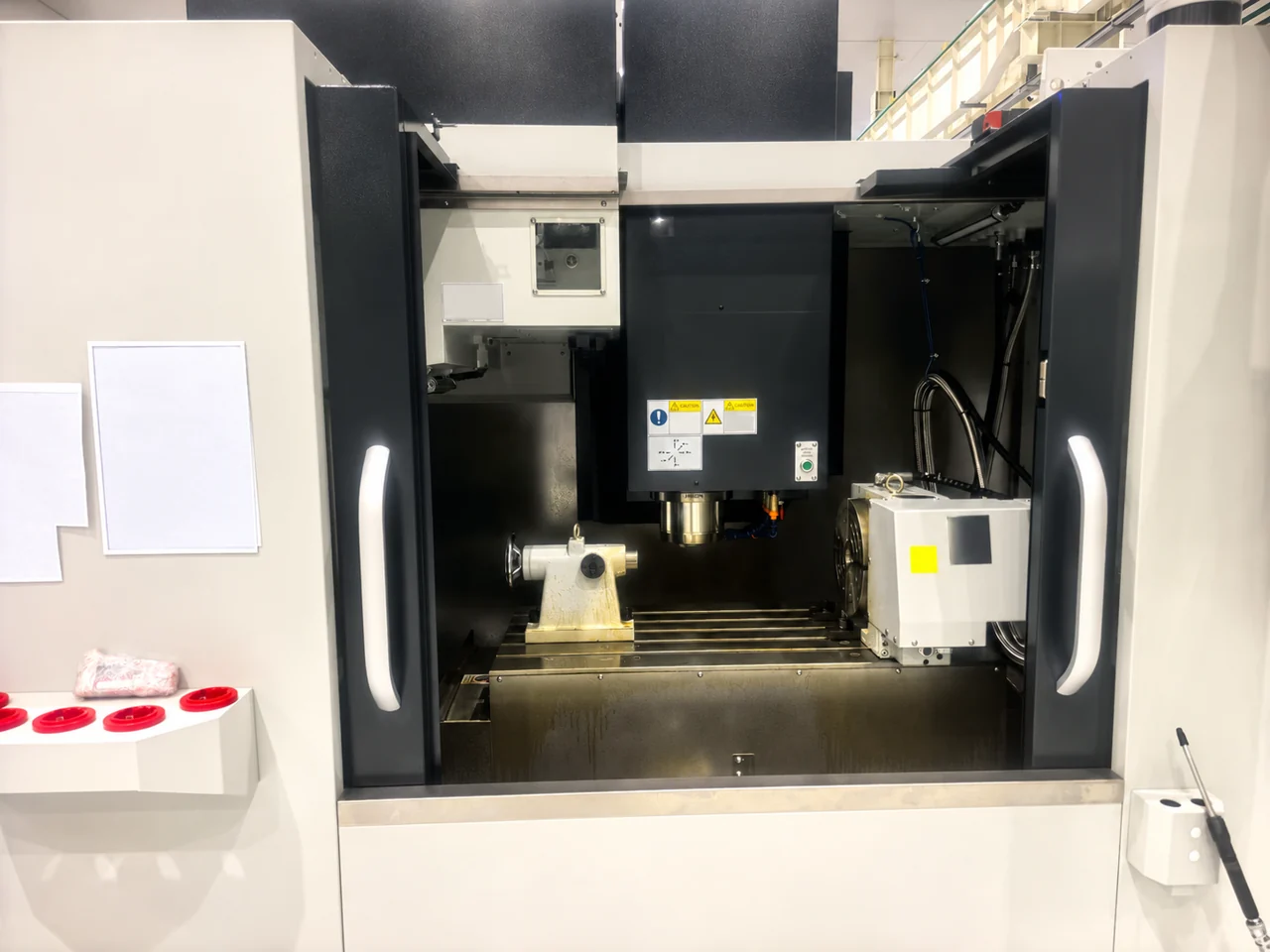
    Rotary unit and tailstock installed on a machining-centre table.
    Rotary unit and tailstock installation reference. Check the combined installation length, centre height, spindle clearance and tool access for the proposed setup. The photograph does not establish a specific MRNC model or machine compatibility.

    Standard or N: confirm the motor-cover dimensions

    The catalogue groups standard and N versions in shared specification columns. N identifies the shortened motor-cover configuration. Select the exact suffix from its drawing and confirmed motor installation; do not treat N as an accuracy or load-capacity upgrade.

    Confirm the control and clamping configuration

    Specify whether the job needs indexed positioning or simultaneous fourth-axis machining. Controller brand alone does not establish compatibility: confirm the control model, enabled axis functions, drive, motor, encoder, interfaces and installation scope. Check hydraulic clamping requirements and the agreed supply scope as well.

    Use the fourth-axis compatibility checklist to collect the machine details. For terminology and parameter interpretation, see the rotary table specifications guide.

    Send one set of details for a useful comparison

    • Machine brand, model, controller and available axis configuration.
    • Installation orientation, mounting drawing and available travel.
    • Part and fixture drawings, combined mass and load offset.
    • Required movement, machining operations and accuracy requirements.
    • Preferred model and suffix, quantity, destination and required timing.

    Complete the technical inquiry worksheet with the details available. Mark unknown items for review and email the saved PDF with your drawings to sales@rotivex.com.

    ROTIVEX coordinates technical confirmation and sourcing from Shanghai. Vera provides an initial reply within 12 hours; final model, scope, price and timing follow technical review.

    Discuss MRNC-255 / 255N Discuss MRNC-320 / 320N

  • 4th-Axis Rotary Table Compatibility Checklist

    Before buying a fourth-axis rotary table for an existing machining center, check both machine integration and the complete workholding setup. A suitable table diameter is only one part of the decision. The controller, drive, servo feedback, installation space and clamping system must also match the proposed configuration.

    Use this checklist to prepare a technical review with your machine supplier or integrator. If your main question is which table size to choose, start with our 4-axis rotary table selection guide.

    1. Define the Machining Mode First

    Indexed positioning: the rotary moves to an angle, then the part is machined with the axis held as required by the setup. Simultaneous fourth-axis machining: the rotary axis moves in coordination with the machine axes during cutting.

    A separate indexing controller triggered by an M-code does not, by itself, provide coordinated fourth-axis interpolation. Confirm the required machining mode before comparing the controls or requesting a quote. Include a drawing or a short description of the operation.

    2. Confirm the Exact CNC and Servo Configuration

    Information to collectWhat needs confirmation
    Machine make, model and build yearThe exact machine configuration and available axis provisions.
    Controller model and software versionFourth-axis functions, enabled options and supported operating mode.
    Installed drive/amplifier and spare axis provisionWhether the required hardware is present or an upgrade is needed.
    Servo motor and encoder identificationMotor, drive and feedback compatibility for the proposed configuration.
    Connector and cable informationVerified electrical interfaces and cable requirements; connector appearance alone is insufficient.
    Clamp/unclamp signals and status feedbackThe control sequence, interlocks and confirmation signals required by the machine.

    “FANUC,” “Siemens” or another controller brand is not enough to establish compatibility. Send the exact model and configuration for review. Electrical changes, parameter settings and commissioning should be handled by the machine supplier or a qualified integrator.

    3. Check the Entire Installation Envelope

    Compare the drawing of the exact rotary version against the machine table, T-slots, travel limits and spindle clearance. Include the motor cover, connectors, cable bend space, chuck, fixture and workpiece. Check the swept envelope through all intended rotary positions, as well as tool changes, probing and door access.

    For long parts, include the tailstock or support unit in the layout. Its center height and mounting position need to suit the selected rotary setup. The N versions of MRNC products have a different motor-cover arrangement, so use the drawing for the version being quoted.

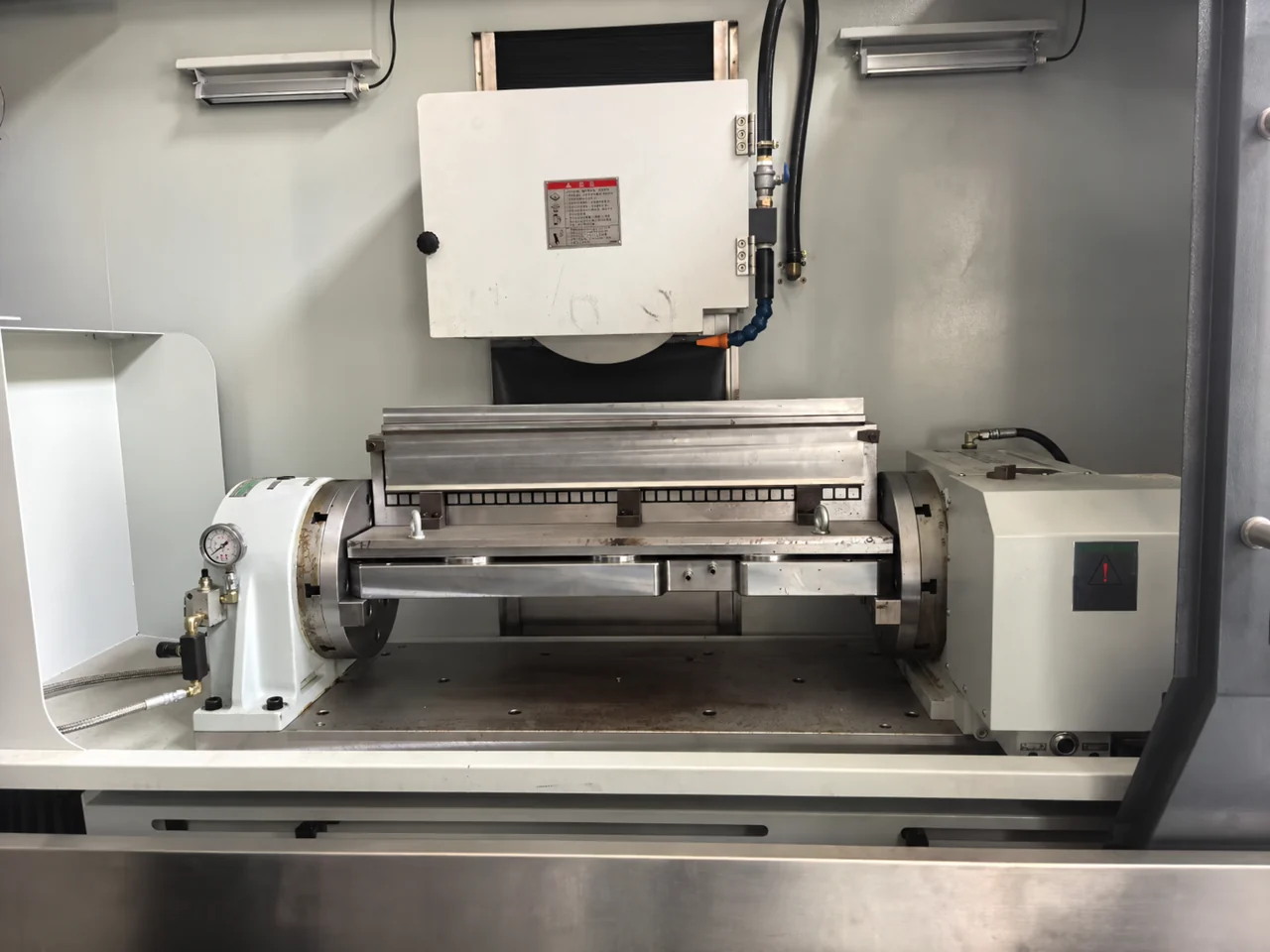
    Bridge fixture between a rotary unit and opposing support inside a machining centre.
    Rotary table and opposing support with a bridge fixture inside a machining centre. Review the complete fixture envelope, support arrangement and available machine travel. Application reference; the exact model and compatibility require confirmation.

    4. Separate Machine Payload from Rotary Load

    The machine table supports the rotary unit, motor, fixture, workpiece and any support equipment. The rotary’s allowable work load is a separate limit. Confirm installation orientation, fixture and part mass, center-of-gravity offset, inertia and cutting moments. A part weighing less than the catalog load rating can still require further review.

    For example, the catalog net weights of MRNC-255 / 255N and MRNC-320 / 320N are 93 kg and 174 kg respectively, excluding the motor. Include the other setup components when checking machine capacity. These weights do not establish suitability for a particular machine.

    5. Confirm Clamping Supply and Delivery Scope

    Check the required hydraulic or pneumatic supply for the exact model: operating pressure, available supply equipment, hoses, fittings, valves and electrical control. Confirm which items are included in the quotation and which are supplied by the buyer or integrator.

    Record responsibility for mounting, electrical integration, control setup, alignment and acceptance checks. Agree how positioning, clamp operation, clearance and the intended machining cycle will be checked before production use. For specification definitions, see rotary table specifications explained.

    Send These Details for a Compatibility Review

    Copy the following into your inquiry. If something is unknown, mark it “to be confirmed” rather than guessing.

    Machine make / model / year:
    Controller model / software version:
    Existing fourth-axis drive or option:
    Indexed positioning or simultaneous machining:
    Preferred rotary model, if known:
    Machine table dimensions / payload limit:
    Available mounting space / spindle clearance:
    Installation orientation:
    Workpiece and fixture dimensions / combined mass:
    Workpiece offset / support or tailstock requirement:
    Available hydraulic or pneumatic supply:
    Quantity / destination country:
    Available drawings or identification photos:

    Common Questions

    Can any three-axis machining center accept a fourth axis?

    It requires machine-specific confirmation. Physical space, control options, drive hardware and interfaces must be checked together. A machine may require additional hardware or may not support the intended operating mode.

    Can I reuse my existing servo motor?

    Do not assume that a matching controller brand or motor mounting pattern is sufficient. Provide the motor identification, drive details and encoder information for technical review.

    What if I do not have all the technical details?

    Start with the machine and controller identification, application and available drawings. ROTIVEX can help identify the remaining information needed for the proposed setup.

    Technical References

    Manufacturer guidance illustrates why integration must be checked by configuration. Haas documents axis-drive requirements in its rotary installation guide and distinguishes motor and control versions in its compatibility guide. These references apply to Haas equipment; they do not establish MRNC compatibility with a Haas machine or replace the manuals for the equipment being supplied.

    Prefer a form you can pass to your engineer? Complete our rotary table technical inquiry worksheet, save a PDF copy and email it with the available drawings. You can mark missing details as unknown.

  • CNC Rotary Table Specifications: What Do Table Diameter, Through Hole and Accuracy Mean?

    When selecting a CNC rotary table, buyers often compare a long list of technical specifications.

    Table diameter, through hole, load capacity, indexing accuracy, repeatability and maximum speed can all affect whether a rotary table is suitable for a particular machining application.

    Understanding these specifications can make it easier to compare different models and select a suitable configuration for your CNC machine.

    Read the Specification Together with Its Conditions

    Before comparing two models, record the installation orientation, included equipment and measurement conditions for each value. A specification without its conditions may describe a different setup from yours.

    SpecificationSelection check
    Load capacityAdd the workpiece, chuck, fixture and attached components. Confirm the rated orientation, load offset and applicable machining conditions.
    Drive torque and clamping torqueKeep these separate: the capacity to move an axis and the capacity to hold it for cutting answer different questions.
    Indexing accuracy and repeatabilityCheck units, test conditions and whether the value applies to the rotary or tilting axis.
    Maximum speedConfirm the permitted load, drive configuration and required duty; the maximum figure alone does not define a machining cycle.
    Center bore and through holeCheck the dimension drawing for the usable passage, bore depths and mounting interfaces.

    Angular Accuracy Is Not a Finished-Part Tolerance

    An arcsecond is an angular unit: 1° = 60 arcminutes = 3,600 arcseconds. It is not a time measurement. Keep angular units separate from millimetres when comparing specifications.

    As a geometric illustration, an angular deviation of 20 arcseconds at a radius of 100 mm corresponds to about 0.0097 mm of tangential displacement (radius × angle in radians). This calculation is not a model specification or a prediction of finished-part accuracy. Machine geometry, workholding, cutting conditions and the rest of the setup also affect the result.

    For rotary-and-tilting equipment, confirm the rotary and tilting axes separately. The TRNC comparison table helps identify model-specific values to check.

    What Specifications Should You Check?

    The most important CNC rotary table specifications usually include:

    • Table diameter
    • Table height
    • Center height
    • Through hole
    • Load capacity
    • Indexing accuracy
    • Repeatability
    • Maximum speed
    • Reduction ratio
    • Clamping or braking capability
    • Motor and control configuration

    Not every specification has the same importance for every application.

    The correct selection depends on your CNC machine, workpiece and machining requirements.

    1. Table Diameter

    Table diameter refers to the diameter of the rotary table’s working surface.

    It affects the size of the workpiece and workholding system that can be installed.

    When selecting table diameter, consider:

    • Workpiece dimensions
    • Chuck diameter
    • Fixture dimensions
    • Available machine space
    • Required machining access

    A larger table is not automatically better.

    The table should be large enough for the application while remaining compatible with the machining center.

    2. Table Height and Center Height

    Table height and center height can affect the available machining space.

    This is particularly important when the rotary table is installed on a CNC machining center.

    You should check:

    • Distance between the machine table and spindle
    • Rotary table height
    • Center height
    • Chuck height
    • Workpiece height
    • Required tool clearance

    The complete setup should be checked rather than considering the rotary table by itself.

    3. Through Hole

    The through hole is the opening through the center of a rotary table.

    Depending on the application, a through hole can provide additional flexibility for workholding and workpiece setup.

    It can be useful when working with:

    • Long components
    • Bar-type workpieces
    • Special fixtures
    • Through-mounted workpieces
    • Custom workholding arrangements

    If a through hole is important for your application, confirm its diameter before selecting a model.

    4. Load Capacity

    Load capacity refers to the amount of load the rotary table is designed to support according to its specifications.

    The complete load may include:

    • Workpiece
    • Chuck
    • Fixture
    • Clamping components
    • Other accessories

    For this reason, do not calculate the required capacity using only the workpiece weight.

    For heavy machining applications, also consider the machining forces and the required clamping or braking capability.

    Always check the manufacturer’s specifications for the selected model.

    5. Indexing Accuracy

    Indexing accuracy describes how accurately the rotary table reaches a commanded angular position.

    For example, if a machining operation requires the workpiece to move to several defined angular positions, indexing accuracy becomes an important specification.

    It can be particularly relevant to:

    • Precision indexing
    • Multi-sided machining
    • Angular drilling
    • Repeated machining operations
    • 4-axis machining

    When comparing models, use the published accuracy specification rather than relying on general terms such as “high precision.”

    6. Repeatability

    Repeatability describes how consistently the rotary table can return to the same position.

    Accuracy and repeatability are related but are not the same thing.

    A rotary table may need both:

    • Accurate positioning
    • Consistent positioning from one operation to another

    Repeatability can be particularly important for production machining where the same positioning sequence is repeated many times.

    7. Maximum Speed

    Maximum speed indicates the highest specified rotary speed of the table.

    The required speed depends on the machining application.

    Consider:

    • Positioning requirements
    • Continuous rotation
    • Workpiece size
    • Workpiece weight
    • Machining process
    • CNC control configuration

    A higher maximum speed is not necessarily required for every application.

    For many indexing applications, positioning accuracy and stability may be more important than maximum speed.

    8. Reduction Ratio

    The reduction ratio describes the relationship between the motor movement and rotary-table movement.

    Different rotary table designs use different reduction ratios.

    The reduction ratio can affect characteristics such as:

    • Rotary speed
    • Torque transmission
    • Positioning behaviour
    • Motor requirements

    When comparing products, use the manufacturer’s published reduction ratio and consider it together with maximum speed and torque specifications.

    9. Clamping and Braking Capability

    Clamping or braking capability helps maintain the rotary table position during machining.

    This can be important when cutting forces act on the workpiece.

    The required capability depends on:

    • Workpiece size
    • Workpiece weight
    • Cutting forces
    • Workholding system
    • Machining application

    For demanding applications, confirm the relevant specifications with the supplier before ordering.

    10. Motor and Control Configuration

    A CNC rotary table may require a suitable servo motor and control configuration.

    Before requesting a quotation, provide:

    • CNC machine model
    • CNC control system
    • Required rotary axis
    • Motor requirements, if known
    • Installation orientation

    This information can help confirm whether the rotary table configuration is suitable for your machining center.

    How to Compare CNC Rotary Table Specifications

    When comparing two or more models, avoid looking at a single specification in isolation.

    For example, a larger table diameter does not necessarily mean the model is more suitable for your application.

    Instead, compare the complete specification set:

    SpecificationWhy It Matters
    Table diameterWorkpiece and chuck size
    Table heightMachine working space
    Center heightWorkpiece positioning
    Through holeWorkholding flexibility
    Load capacityWorkpiece and fixture weight
    Indexing accuracyAngular positioning
    RepeatabilityConsistent positioning
    Maximum speedRotary movement requirements
    Reduction ratioSpeed and torque characteristics
    Clamping / brakingPosition stability
    Motor / controlCNC compatibility

    Example of a Rotary Table Selection Process

    Suppose a buyer wants to install a rotary table on a CNC machining center.

    The buyer should first identify:

    Step 1 — Machine

    What is the CNC machine model?

    Step 2 — Workpiece

    What are the workpiece dimensions and weight?

    Step 3 — Workholding

    Will the application use a chuck, fixture or another workholding system?

    Step 4 — Movement

    Does the application require indexing, continuous rotary movement or both?

    Step 5 — Accuracy

    What positioning accuracy and repeatability are required?

    Step 6 — Installation

    What table size, height and through hole are required?

    Step 7 — Control

    What CNC control system will operate the rotary axis?

    This information provides a practical starting point for model selection.

    Why Product Specifications Should Be Checked Carefully

    Different manufacturers may use different terminology or specification formats.

    For example, product names such as:

    may describe products with overlapping functions.

    The actual technical specifications and intended application should therefore be checked before purchasing.

    For B2B buyers, it is also useful to request available technical drawings, installation dimensions and control information when necessary.

    CNC Rotary Table Specifications Checklist

    Before requesting a quotation, prepare:

    • CNC machine model
    • CNC control system
    • Required table diameter
    • Required table height
    • Required center height
    • Required through hole
    • Workpiece dimensions
    • Workpiece weight
    • Chuck or fixture dimensions
    • Required indexing accuracy
    • Required repeatability
    • Required rotary speed
    • Required clamping or braking capability
    • Required quantity

    The more complete the information, the easier it is to evaluate suitable configurations.

    How ROTIVEX Helps

    ROTIVEX helps global buyers compare CNC rotary table specifications based on their actual machining requirements.

    We can help review:

    • Machine configuration
    • Workpiece dimensions
    • Workpiece weight
    • Table size
    • Through-hole requirements
    • Accuracy requirements
    • Speed requirements
    • Workholding configuration
    • CNC control compatibility

    We coordinate with our supply partners to identify suitable product options and provide available technical information for quotation.

    Frequently Asked Questions

    What is the most important CNC rotary table specification?

    There is no single specification that is most important for every application. Table size, load capacity, accuracy, through hole, speed and control compatibility should be evaluated according to the machining requirements.

    What does rotary table through hole mean?

    The through hole is the opening through the center of the rotary table. Its size can affect workpiece and workholding options.

    What is the difference between indexing accuracy and repeatability?

    Indexing accuracy describes how accurately the table reaches a commanded position. Repeatability describes how consistently it can return to that position.

    How do I choose the correct table diameter?

    Consider the workpiece dimensions, chuck or fixture size, available machine space and required machining access.

    Should I consider load capacity together with the workpiece weight?

    Yes. The total setup may include the workpiece, chuck, fixture and other components. Machining forces and clamping requirements should also be considered.

    Do CNC rotary table specifications vary between manufacturers?

    Yes. Terminology, measurement methods and available configurations can vary. Always compare the actual specifications of the individual model.

    Need Help Comparing CNC Rotary Tables?

    If you are unsure which specifications are suitable for your application, send us your:

    CNC machine model + workpiece dimensions + workpiece weight + application requirements.

    ROTIVEX can help identify suitable product options and coordinate available technical information and quotation with our supply partners.

    Request a Quote→

    Continue Your Selection

    Use the rotary table vs index table guide to compare machining modes, the 5-axis selection guide for tilting applications, and the workholding selection page for fixture considerations. Then review available rotary table models with your machine and application requirements.

  • How to Choose a CNC 5-Axis Rotary Table

    A CNC 5-axis rotary table adds rotary and tilting axes for positioning a workpiece. Before choosing a model, confirm whether your application needs 3+2 positioning or simultaneous 5-axis machining; the table alone does not establish your machine’s simultaneous machining capability.

    Start with four checks: the intended machining mode, machine and controller integration, the combined workpiece and fixture load, and clearance throughout the required movement. Use the guide below to prepare your requirements before comparing model configurations.

    What Is a CNC 5-Axis Rotary Table?

    A CNC 5-axis rotary table is a rotary positioning system that combines rotary and tilting movement.

    Depending on the configuration, it can be used for:

    • 5-axis machining
    • Multi-sided machining
    • Complex workpieces
    • Angled machining
    • Precision positioning
    • Reduced workpiece setups

    The actual movement range and technical capabilities depend on the individual model.

    Why Use a 5-Axis Rotary Table?

    A conventional rotary table primarily provides rotary positioning.

    A CNC tilting rotary table adds another controlled movement, allowing the workpiece to be positioned at different angles.

    This can provide several practical benefits.

    Access to More Workpiece Surfaces

    Tilting the workpiece can provide access to surfaces that are difficult to machine from a fixed position.

    Fewer Setups

    A suitable 5-axis configuration can reduce the need to manually reposition the workpiece between operations.

    More Flexible Machining

    Rotary and tilting movements can provide greater flexibility for complex machining operations.

    Improved Workpiece Accessibility

    Different tool approaches can be achieved by changing the orientation of the workpiece.

    1. Check Your CNC Machine

    The first step is to confirm your CNC machine configuration.

    Provide information such as:

    • CNC machine model
    • Vertical or horizontal machining center
    • Machine table dimensions
    • Available installation space
    • CNC control system
    • Available axis configuration
    • Installation orientation

    A 5-axis rotary table must physically fit the machine and be compatible with its control system. First specify whether your process needs 3+2 positioning or simultaneous 5-axis machining.

    3+2 Positioning or Simultaneous 5-Axis Machining?

    3+2 positioning: the rotary and tilting axes orient the workpiece before a 3-axis cutting operation. This can suit drilling, milling and machining several faces at fixed angles.

    Simultaneous 5-axis machining: linear and rotary axes move together during cutting. It requires a compatible machine, control, rotary table and CAM/postprocessor configuration.

    A table with two rotary axes does not by itself make an existing machining center capable of simultaneous 5-axis cutting. Confirm the intended operating mode with the machine builder or integrator before selecting a model.

    2. Consider the Workpiece Dimensions

    Workpiece size is one of the most important factors when choosing a 5-axis rotary table.

    Consider:

    • Length
    • Width
    • Height
    • Weight
    • Required machining access
    • Workholding requirements

    Check the swept envelope of the complete workpiece, chuck and fixture through every required rotary and tilt position. Include clearance to the spindle, toolholder, machine enclosure and nearby fixtures, as well as usable Z-axis travel.

    Request the installation drawing and check mounting dimensions, center height and cable or hose routing. Table diameter alone does not establish whether the assembled setup will fit or whether the tool can reach every required surface.

    3. Consider Workpiece Weight

    The total load may include:

    • Workpiece
    • Chuck
    • Fixture
    • Clamping components
    • Other accessories

    Check the published load rating for the actual table orientation and tilt angle. A horizontal load rating should not be assumed to apply when the table is tilted. Include the mass of the fixture and chuck when checking the permitted load.

    The required capacity should be evaluated together with the actual machining forces, load offset and workholding configuration. Use the TRNC model comparison to shortlist models by table diameter, through-hole, tilt range and orientation-specific load capacity, then confirm the complete setup with the supplier.

    4. Check Rotary and Tilting Range

    One of the main differences between 5-axis rotary tables and conventional rotary tables is the additional tilting movement.

    When comparing models, check:

    • Rotary range
    • Tilting range
    • Tilting direction
    • Mechanical clearance
    • Required machining angles

    The required range depends on the workpiece geometry and machining process.

    A larger movement range is not automatically necessary for every application.

    5. Check Indexing Accuracy and Repeatability

    Accuracy is important when the rotary table is used for precision machining.

    Review:

    • Rotary positioning accuracy
    • Tilting positioning accuracy
    • Repeatability
    • Required machining tolerance

    For production applications, repeatability can be particularly important because the rotary and tilting axes may be used repeatedly.

    Check accuracy and repeatability separately for the rotary and tilting axes. Compare the manufacturer’s published specifications with your part tolerances; a table positioning specification alone does not guarantee the finished part tolerance. Our CNC rotary table specifications guide explains the main terms to review.

    6. Check Maximum Speed

    Maximum rotary and tilting speed should match the machining process.

    Consider:

    • Positioning speed
    • Continuous rotary requirements
    • Workpiece weight
    • Workpiece dimensions
    • Machining process

    For many applications, positioning accuracy and stability may be more important than maximum speed.

    7. Check Clamping and Braking

    A 5-axis rotary table must maintain stable positioning during machining.

    The required clamping or braking capability depends on:

    • Workpiece weight
    • Workpiece dimensions
    • Cutting forces
    • Workholding system
    • Machining application

    For demanding applications, confirm the relevant technical specifications before purchase.

    8. Check CNC Control Compatibility

    Control compatibility is especially important for a 5-axis configuration.

    Before requesting a quotation, provide:

    • CNC machine model
    • CNC control system
    • Required rotary axis
    • Required tilting axis
    • Servo requirements
    • Installation orientation

    Provide the exact controller model and version, available axis options, and servo motor, drive and encoder details. Ask the machine builder or integrator to confirm axis integration and clamp/unclamp signals. Matching the controller brand alone is insufficient.

    For simultaneous machining, also confirm the supported machine kinematics, any required control options, tool-center-point functions where applicable, and a suitable CAM postprocessor. Request written confirmation of the intended machining mode for your machine and rotary table combination.

    9. Consider the Workholding System

    The rotary table and workholding system should be considered together.

    Possible workholding options may include:

    • CNC chuck
    • Pneumatic chuck
    • Hydraulic chuck
    • Manual chuck
    • Custom fixture
    • Special workholding system

    The selected chuck or fixture must provide sufficient clearance for the rotary and tilting movements.

    5-Axis Machining Applications

    CNC 5-axis rotary tables can be used in applications where flexible workpiece positioning is required.

    Complex Workpieces

    Components with multiple angled surfaces can benefit from rotary and tilting positioning.

    Multi-Sided Machining

    A 5-axis rotary table can help access several surfaces without repeatedly removing the workpiece.

    Angled Machining

    Tilting allows the workpiece to be positioned at different angles for machining operations.

    Precision Components

    Controlled rotary and tilting positioning can support applications requiring repeatable positioning.

    Reduced Setup Operations

    A suitable configuration can reduce manual repositioning between machining operations.

    5-Axis Rotary Table Selection Checklist

    Before requesting a quotation, prepare:

    ItemInformation
    CNC machineMachine model
    CNC controlExact control model/version, enabled axis options and servo details
    Machining mode3+2 positioning or simultaneous 5-axis cutting
    Machine typeVertical or horizontal
    WorkpieceDimensions
    Workpiece weightWorkpiece plus chuck/fixture weight, load offset and required tilt angles
    WorkholdingChuck or fixture
    Table sizeRequired diameter
    Rotary rangeRequired rotary movement
    Tilting rangeRequired tilting movement
    AccuracyRequired positioning accuracy
    RepeatabilityRequired repeatability
    SpeedRequired rotary/tilting speed
    ClearanceAssembly swept envelope, tool access, Z travel and installation drawing
    QuantityRequired quantity

    Providing this information helps identify suitable configurations more efficiently.

    CNC 5-Axis Rotary Table vs Conventional Rotary Table

    A conventional CNC rotary table primarily provides rotary positioning.

    A 5-axis rotary table adds a tilting movement, which can provide additional flexibility for complex machining.

    The choice depends on the application.

    A conventional rotary table may be suitable when the main requirement is rotary positioning and multi-sided machining.

    A 5-axis configuration may be considered when the machining process requires different workpiece orientations or angled access.

    The actual product specifications should always be checked before selecting a configuration.

    Comparing specific models? Use our TRNC-255A vs TRNC-255B vs TRNC-321 comparison to review load limits, tilt ranges and installation differences before requesting a configuration review.

    How ROTIVEX Helps

    ROTIVEX provides CNC rotary and workholding solutions for global buyers.

    We help buyers identify suitable 5-axis rotary table options based on:

    • CNC machine configuration
    • Workpiece dimensions
    • Workpiece weight
    • Rotary requirements
    • Tilting requirements
    • Accuracy requirements
    • Workholding configuration
    • CNC control system

    We coordinate with our supply partners to provide suitable product options and available technical information for quotation.

    Frequently Asked Questions

    What is a 5-axis rotary table?

    A 5-axis rotary table combines rotary and tilting positioning to provide additional workpiece orientation for machining applications.

    What is a tilting rotary table used for?

    A tilting rotary table can be used when the workpiece needs to be positioned at different angles for machining.

    Is a 5-axis rotary table suitable for multi-sided machining?

    Yes. A suitable 5-axis configuration can provide flexible access to multiple workpiece surfaces.

    How do I choose the right 5-axis rotary table?

    Start with your CNC machine model, workpiece dimensions and weight, required rotary and tilting movement, accuracy, workholding system and CNC control requirements.

    Do I need to provide my CNC control system?

    Yes. Control compatibility should be confirmed before purchasing a 5-axis rotary table.

    Need Help Choosing a 5-Axis Rotary Table?

    Tell us your CNC machine model, workpiece requirements and machining application.

    ROTIVEX can help identify suitable 5-axis rotary table options and coordinate available technical information and quotation with our supply partners.

    Need reference information? Browse the ROTIVEX CNC rotary-table catalogue in Resources, or use the optional technical inquiry worksheet to organise your machine and application details. Start with what you know; you do not need to complete every technical detail before contacting us.

    Request a Quote→

  • CNC Rotary Table vs CNC Index Table: What Is the Difference?

    CNC rotary tables and CNC index tables are both used for controlled workpiece positioning, but their functions and applications can be different.

    Understanding the difference between a CNC rotary table and a CNC index table can help you select a suitable solution for your machining center.

    The right choice depends on the machining process, positioning requirements, workpiece characteristics and CNC machine configuration.

    Start with the Required Machining Motion

    First ask whether the rotary axis must move while the tool is cutting. Product names alone do not establish this capability: confirm the individual table, drive and machine-control configuration.

    Your processWhat to confirm
    Rotate, stop and machine each faceCheck every required angle, positioning performance and clamping sequence.
    Rotate while cuttingConfirm coordinated rotary-axis motion with the machine supplier, including drive, controller and programming support.
    Add both rotation and tiltReview a tilting setup and confirm whether the application needs 3+2 positioning or simultaneous motion.

    A table with fixed indexing increments must support the angles in your program. For example, a 5° increment does not provide a 7° index position. Check the selected model rather than assuming that all index tables offer the same increments.

    For rotary-and-tilting applications, use the 5-axis selection guide. For technical terminology, read the rotary table specifications guide.

    What Is a CNC Rotary Table?

    A CNC rotary table is a rotary positioning device that allows a workpiece to be rotated around a controlled axis.

    Depending on the configuration, it can be used for:

    • 4-axis machining
    • Multi-sided machining
    • Angular positioning
    • Continuous rotary movement
    • Precision positioning
    • Complex machining applications

    A rotary table can provide controlled rotary movement in addition to the linear axes of a CNC machining center.

    What Is a CNC Index Table?

    A CNC index table is designed primarily for controlled angular indexing and positioning.

    Instead of manually rotating the workpiece between operations, the CNC index table can position the workpiece at defined angles.

    Typical applications include:

    • Multi-sided machining
    • Drilling on multiple faces
    • Milling at defined angles
    • Repeated indexing operations
    • Precision positioning
    • Production machining

    The exact functions depend on the specific model and configuration.

    CNC Rotary Table vs CNC Index Table

    The terms can sometimes overlap because both products provide rotary positioning.

    However, the practical difference is often related to how the rotary axis is used.

    FeatureCNC Rotary TableCNC Index Table
    Main purposeRotary positioning and movementControlled angular indexing
    Multi-sided machiningYesYes
    Angular positioningYesYes
    Continuous rotationDepending on configurationDepending on configuration
    4-axis machiningCommon applicationPossible depending on configuration
    Precision indexingYesYes
    Workholding integrationChuck or fixtureChuck or fixture
    CNC integrationDepends on configurationDepends on configuration

    Always check the specifications of the individual model before selecting a product.

    When Should You Use a CNC Rotary Table?

    A CNC rotary table may be suitable when your machining process requires controlled rotary movement or flexible positioning.

    For example, it can be considered for:

    4-Axis Machining

    A rotary table can provide an additional controlled rotary axis for a machining center.

    This can allow the machine to access different surfaces or orientations of a workpiece without repeatedly removing and repositioning it.

    Multi-Sided Machining

    A rotary table can help position several sides of a workpiece for machining.

    This can reduce manual repositioning and help maintain a consistent workholding setup.

    Angular Machining

    When machining features at different angles, controlled rotary positioning can provide a more flexible setup.

    The required accuracy and positioning method depend on the application.

    When Should You Use a CNC Index Table?

    A CNC index table can be useful when the primary requirement is repeatable angular positioning.

    For example:

    • Drilling multiple hole patterns
    • Machining several faces
    • Repeated production operations
    • Positioning components at defined angles
    • Multi-sided machining

    For these applications, indexing capability and repeatability are important specifications to review.

    What Is a CNC Dividing Head?

    The term CNC dividing head is also commonly used when discussing rotary positioning equipment.

    A dividing head traditionally refers to equipment used to divide or position a workpiece at specific angular intervals.

    Modern CNC dividing heads and CNC rotary tables can provide more advanced controlled positioning and CNC integration.

    Because terminology varies between manufacturers and markets, buyers should focus on the actual specifications and intended application rather than the product name alone.

    Key Specifications to Compare

    Whether you are considering a CNC rotary table or CNC index table, several specifications should be reviewed.

    Table Diameter

    The table diameter should be suitable for the workpiece and workholding system.

    Load Capacity

    Consider the combined weight of the workpiece, chuck, fixture and other components mounted on the rotary table.

    Through Hole

    The through hole can affect the type of workpieces and workholding arrangements that can be used.

    Indexing Accuracy

    Indexing accuracy indicates how accurately the table reaches the commanded position.

    Repeatability

    Repeatability indicates how consistently the rotary table can return to a specified position.

    Maximum Speed

    Maximum speed should match the machining process and required rotary movement.

    Clamping or Braking

    The required clamping or braking capability depends on the workpiece, machining forces and application.

    CNC Control Compatibility

    The rotary table must be compatible with the CNC machine and its control configuration.

    How to Choose Between a CNC Rotary Table and CNC Index Table

    Start by defining how you need the rotary axis to operate.

    Ask these questions:

    1. Do you need continuous rotary movement?
    2. Do you mainly need positioning at defined angles?
    3. Are you performing 4-axis machining?
    4. How many sides of the workpiece need to be machined?
    5. What is the workpiece size and weight?
    6. What type of chuck or fixture will be used?
    7. What accuracy and repeatability are required?
    8. What CNC control system does your machine use?

    The answers can help narrow down the suitable product configuration.

    CNC Rotary Table Selection Checklist

    Before requesting a quotation, prepare:

    • CNC machine model
    • Machine configuration
    • Workpiece dimensions
    • Workpiece weight
    • Required table diameter
    • Required through hole
    • Required indexing accuracy
    • Required repeatability
    • Required rotary speed
    • Chuck or fixture requirements
    • CNC control system
    • Required quantity

    Providing these details allows a supplier to better understand your application and identify suitable product options.

    How ROTIVEX Helps

    ROTIVEX provides CNC rotary and workholding solutions for global buyers.

    We help buyers compare suitable product options based on machine configuration, workpiece requirements and machining applications.

    Our product range includes:

    We coordinate product information and quotations with our supply partners so buyers can evaluate suitable solutions for their applications.

    Frequently Asked Questions

    Is a CNC rotary table the same as a CNC index table?

    Not necessarily. The terms can overlap, but a CNC rotary table may support broader rotary positioning functions, while an index table may focus more on defined angular positioning. Always check the individual product specifications.

    Can a CNC index table be used for 4-axis machining?

    Depending on the model and CNC configuration, an index table may be suitable for 4-axis applications. Confirm the required CNC integration and operating functions before purchase.

    Is a CNC dividing head the same as a rotary table?

    The terms are sometimes used interchangeably in the market, but product designs and capabilities can differ. Compare the actual specifications and intended application.

    How do I choose the correct size?

    Consider the workpiece dimensions, weight, chuck or fixture, available machine space and required machining access.

    What information is needed for a quotation?

    Provide your CNC machine model, workpiece dimensions and weight, application, required accuracy, workholding requirements and CNC control information.

    Need Help Choosing?

    Not sure whether a CNC rotary table or CNC index table is suitable for your application?

    Send us your CNC machine model, workpiece requirements and application details.

    ROTIVEX can help identify suitable product options and coordinate available technical information and quotation with our supply partners.

    Request a Quote→

    Compare Suitable Product Categories

    Review CNC rotary tables for rotary-axis configurations, or CNC index tables for the available MINC and HINC options. Send your required angles, machine/controller model, combined workpiece and fixture weight, and cutting requirements with your quotation request.